

TL;DR: A PlanJapan eSIM for Japan runs on two separate clocks — the window to install and activate it (60 days after purchase for the unlimited eSIM, 180 days for a data eSIM) and the validity period once it's active (30 days for 10, 20 or 50 GB data plans; the number of days you picked at checkout for unlimited). The count starts at your first connection to a Japanese network, not at installation or purchase: that's when the eSIM activates on its own. A data eSIM bought in March can therefore serve a July trip with nothing lost. Miss the install window, though, and the eSIM can no longer be used. When its validity ends, the eSIM stops and can't be extended: leftover data isn't refundable, a new trip means a new purchase, and only a data eSIM that's still active can be topped up. This guide walks through every concrete scenario for Tokyo, Kyoto, Hokkaido or Okinawa.
Install window vs plan duration: don't conflate the two clocks
The number-one source of confusion among PlanJapan travelers is mixing up two distinct deadlines: the install window and the plan duration. The install window is how long you have after purchase to install the eSIM and activate it — that is, connect it to a Japanese network for the first time: 60 days for unlimited, 180 days for a data eSIM. Past that window, the eSIM can no longer be used; it doesn't start on its own when the deadline hits. Example: you buy an unlimited eSIM on May 15 and land in Tokyo on July 10, 56 days later — you're within the window. For a July 20 arrival, May 15 is too early: wait until the end of May to buy it, or pick a data eSIM, which gives you 180 days. The plan duration, on the other hand, measures how many days of use you get once the eSIM is active: 30 days for data, whatever the volume, and the number of days you chose for unlimited.
The classic trap is believing that this window eats into your plan days. It doesn't. Until your phone has connected to a Japanese network, the plan counter stays at zero: installed ahead of time, the eSIM simply lies dormant. You can perfectly well buy your eSIM six weeks before departure, install it at home the day before your flight, and get every one of your days starting from touchdown at Narita Terminal 1. The only condition: installation and your first connection in Japan must both fall within the window. Our guide on the right time to activate your Japan eSIM details the exact sequence of operations.
In practice, book your eSIM once the trip is confirmed — at the same time as your flights, if departure falls within the window — and install it a day or two before you fly. Installing earlier wouldn't cost you any days, but an installed eSIM is no longer refundable, even if it has never been used: better to wait until the trip is certain.
When does the clock actually start? The first-Japanese-connection rule
Here's the precise rule: your PlanJapan eSIM activates on its own the first time your phone connects to a Japanese network — NTT Docomo's. So the eSIM has to be installed, its line switched on, and you have to be physically in Japan: neither the purchase nor installing it at home triggers anything. For data to actually flow afterwards, Cellular Data and Data Roaming must be turned on for the PlanJapan line.
The exact trigger moment therefore depends on what you do when you land. Case A — you get off the plane at Narita Terminal 1 at 3:00 PM, turn off airplane mode, and your iPhone 15 finds NTT Docomo within 30 seconds: the clock starts at 3:00 PM. Case B — you keep airplane mode on until you reach your Shibuya hotel, making do with Wi-Fi, and turn it off at 6:30 PM: the clock starts at 6:30 PM. With a data eSIM, you then have 30 days. With unlimited, one detail matters: the duration is counted in calendar days, Japan time, and the day of your first connection counts as a full day, even if only a few hours of it are left. A 10-day unlimited eSIM activated on May 12 at 3:00 PM works until the end of May 21, at midnight Japan time — not 240 hours later.
The practical consequence: if you land late, say at 10:00 PM at Haneda, that first day will only last two hours. If airport and then hotel Wi-Fi will do for the evening, keep airplane mode on (or the PlanJapan line switched off) until the next morning: the next day will then count as day one. There's no risk of a premature start, on the other hand: installed at home, the eSIM can't activate before you arrive, since it's waiting for a Japanese network. For step-by-step settings, see our Japan eSIM activation guide on iPhone.

30-day data or unlimited for any duration: which plan for which trip
PlanJapan offers two families of eSIM, and their validity isn't calculated the same way. The data eSIM comes in 10, 20 or 50 GB and is always valid for 30 days from your first connection in Japan: the question isn't duration, it's volume. The unlimited eSIM is sold for the duration of your choice, with no data cap: you pick the number of days that matches your stay. For a stay longer than a month, unlimited is covered by several eSIMs in a row, and for several months there's the subscription: 50 GB a month, no commitment.
To size a data eSIM, start from the length of your stay and how you use your phone: 10 GB suits five days or less with light use (Maps, transit, messaging), 20 GB a week of standard use, 50 GB ten days or more, or a week of heavy use. For unlimited, count the calendar days you'll spend in Japan, arrival and departure days included: arrive May 12, leave May 22, and that's 11 days. If your itinerary takes in Hokkaido or the Japanese Alps, also read our piece on NTT Docomo coverage in rural areas.
Then it's a matter of choosing between the two. A traveler using Maps, translation, social media and a few video calls will do just fine with a well-sized data eSIM, whose 30 days easily absorb a delayed return. Conversely, if you work remotely from Tokyo (video calls, file syncing, lunch-break streaming) or often share your connection, unlimited is the better fit: tethering is included, up to 10 GB a day at full speed, whereas on a data eSIM it draws on your plan. Our guide on how many GB to pick for Japan provides the full matrix by profile.
What exactly happens when the plan expires
A data eSIM stops 30 days after its first connection in Japan; an unlimited eSIM stops at midnight Japan time, at the end of its last day. The cutoff is clean: your phone won't warn you, and the eSIM's line simply stops giving you internet access, even though it was working perfectly a few minutes earlier. If your connection drops mid-trip, recount your days from your first connection before concluding it has expired: if you're still within the period, it's a network or settings issue, not the end of your plan. On a data eSIM, the connection also stops when you use up your quota before the 30 days are over — the eSIM, still active, can then be topped up.
The profile stays installed on your phone — you can still see it under Settings > Cellular — but it no longer does anything. The real trap is departure day. Concrete case: you arrive on May 12 at 2:00 PM and leave on May 22 at 9:00 PM. In hours, that's ten days and seven hours; in calendar days, it's 11, from May 12 to May 22. A 10-day unlimited eSIM would stop on May 21 at midnight, the night before your flight: no more Google Maps or JR booking confirmation to get you to the airport. Take 11 days. With a data eSIM, the question doesn't arise: its 30 days comfortably cover that stay.
Nothing is recoverable at expiry: unused data is neither refunded nor carried over, and an expired eSIM can't be reactivated. Your messaging apps will pick up again as soon as you're back online (hotel Wi-Fi, your usual line or a new Japan eSIM). Once home, there's no need to delete the eSIM: turning the line off is enough. For troubleshooting in case of doubt, see our Japan eSIM not working guide.
Extending your Japan eSIM mid-trip: top-up or new eSIM
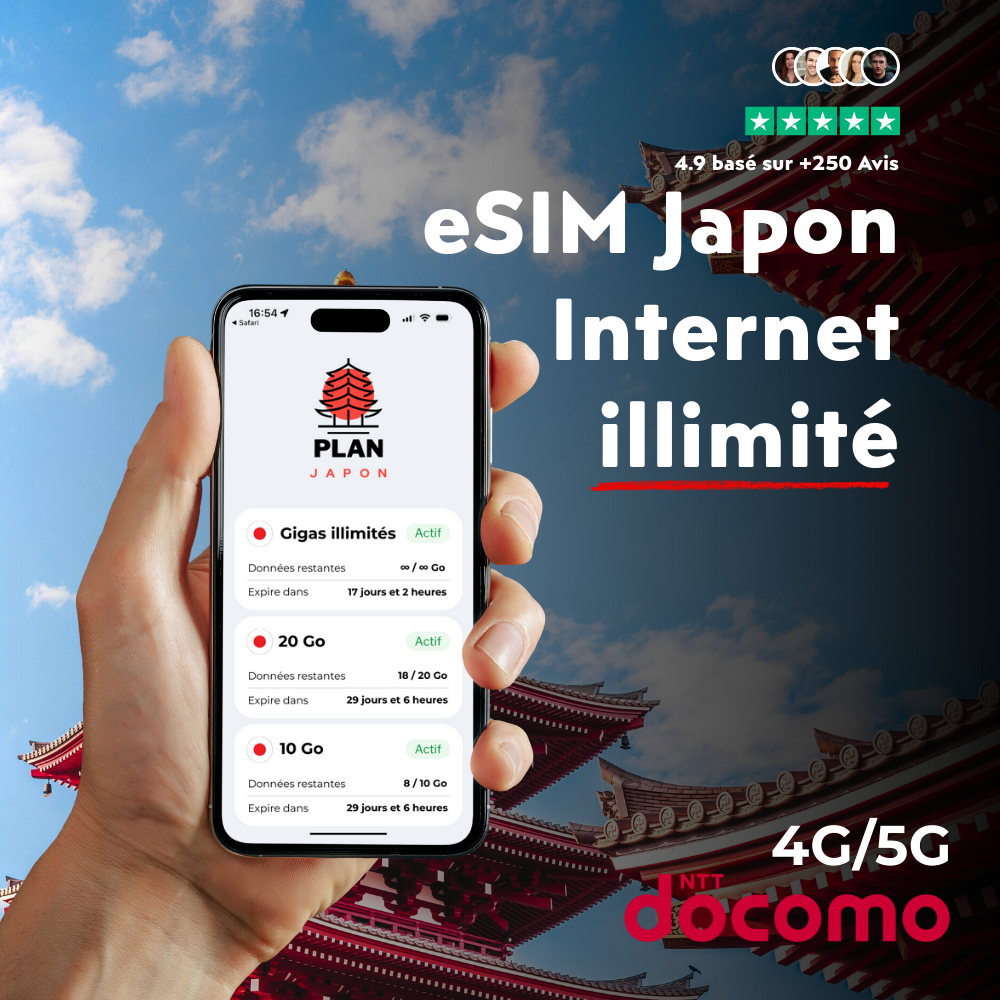
You're mid-trip and realize your eSIM won't last until your flight home? First thing to know: an eSIM can't be extended — you can't add days to it. There are two ways forward, depending on your situation. Option 1 — Top up your data eSIM, if it's still active. Used up your GB before the 30 days are over? Your data eSIM can be topped up: connect to your hotel's Wi-Fi or a Family Mart's and top up from esimjp.com. Top-ups only apply to data eSIMs still within their validity period, never to unlimited.
Option 2 — A new eSIM for the missing days. Your data eSIM is reaching the end of its 30 days, or your unlimited plan is about to run out? Buy a new eSIM: a data one, or an unlimited one for the number of days you're short. It installs alongside the old one, which stays on your phone but no longer does anything. Plan a day ahead: the QR code arrives by email within minutes for data, but can take several hours for unlimited. And install it on the day you need it, not before: in Japan, it starts as soon as it first connects. If your unlimited eSIM stops at midnight, install the next one the following morning; installed the evening before, it would count that evening as its first day.
Two special cases. Only two or three intense days left — hanami in Kyoto, a trip to Hokkaido with a laptop to connect — and your data is gone? An unlimited eSIM for two or three days, tethering included, saves you from counting. If your stay stretches by several weeks instead, unlimited is covered by several successive eSIMs (three at most, so 90 days), and for several months the PlanJapan long-stay subscription — 50 GB a month, no commitment — is simpler than a string of purchases.
Unused remaining data and advance purchase: what's recoverable, what's not
Frequent PlanJapan support question: "I took 50 GB for 30 days but only used 22 — can I get the difference back?" Short answer: no. Once the eSIM is activated, or the moment any data has been used, it's no longer refundable — not in full, not in part, even if your trip is cut short. Unused GB are lost at the end of the 30 days and can't be carried over to another eSIM.
On the other hand, if your eSIM has never been installed and no data has been used (cancelled trip, change of plans, a phone that turns out not to be compatible), it can be refunded in full: write to our support team, who review each request individually. Note that installation is what counts, not just activation: an installed eSIM, even one never used, is no longer refundable. Hence our advice: buy once the trip is decided, but only install the eSIM a day or two before you fly. And if the trip gets postponed, keep an eye on the deadline: an eSIM that hasn't been installed and activated within 60 days (unlimited) or 180 days (data) of purchase can no longer be used.
Traveling as a group? There's no single "family" plan: you need one eSIM per phone, since each one stays tied to the phone it's installed on. If someone in the group drops out, their eSIM follows the same rule: refundable as long as it hasn't been installed or used. As long as it hasn't been installed, an eSIM can go on any compatible phone; once installed, it stays tied to that phone, where it can be reinstalled up to 10 times, but it never moves to another one. To buy ahead with no risk, also read our guide on activating an eSIM from Narita or Haneda, which includes pre-departure best practices.
Picking the right option for your trip: 6 traveler profiles and their optimal plan
Profile 1 — Classic 7-10 day tourism (Tokyo + Kyoto + Osaka). Recommended: a 20 GB data eSIM for a week of standard use, 50 GB for ten days or more, or an unlimited eSIM for the exact number of calendar days if you'd rather not watch your usage. Safety buffer: with data, the 30-day validity automatically covers a delayed return; with unlimited, add a day if your flight home from Tokyo might slip. Profile 2 — Long trip 14-18 days (including Hokkaido or Okinawa). Recommended: 50 GB if your usage stays moderate, otherwise an unlimited eSIM for the length of your stay. Domestic ANA/JAL flights from Tokyo to Sapporo or Naha call for a reliable connection for mobile check-in: with 50 GB or unlimited, you don't have to ration.
Profile 3 — Study abroad or digital nomad, 30+ days. For one month: 50 GB, or a 30-day unlimited eSIM if you work remotely (daily video calls, Google Drive sync), since 50 GB might not last. Beyond a month, chain several unlimited eSIMs, or switch to the 50 GB-a-month subscription for a stay of several months. For a student on a one-month language course with no remote work, 50 GB is usually enough. Profile 4 — Business trip 3-5 days (Tokyo). Recommended: a 10 GB data eSIM for light use. If you tether your laptop (presentations, client demos), go for an unlimited eSIM for the exact number of days: tethering is included, up to 10 GB a day at full speed, whereas on a data eSIM it uses up your plan.
Profile 5 — Family with kids, 10-14 days. Recommended combo: one eSIM per phone — for example an unlimited eSIM for each parent and a 20 or 50 GB data eSIM for the teenager, depending on their usage. Avoid the "single plan + hotspot for the whole family" strategy: on unlimited, tethering is capped at 10 GB a day at full speed, and on a data eSIM it drains the plan fast. Profile 6 — Express traveler (24-48h Tokyo stopover). Recommended: the 10 GB data eSIM, our smallest plan, plenty for Google Maps, translation and taxi apps. If you'd rather go unlimited, count calendar days, not hours: a 36-hour stopover, arriving Monday evening and leaving Wednesday morning, spans three days. To compare plans over a month, see our 30-day plan comparison.
FAQ — Japan eSIM validity and expiration
How long can I wait between purchase and activation of my Japan eSIM?
60 days for unlimited, 180 days for a data eSIM: that's how long you have to install it and activate it, meaning connect to a Japanese network. Installed ahead of time, the eSIM stays dormant and uses nothing until it picks up a Japanese network. So you can buy a data eSIM up to 180 days (about six months) before you arrive, and an unlimited eSIM within the 60 days before. Past that deadline, the eSIM can no longer be used. If your trip is pushed back beyond it, contact support before the deadline: an eSIM that hasn't been installed or used can be refunded.
My 10-day unlimited eSIM expires mid-flight home — what happens?
Nothing to worry about: your Japan eSIM only works in Japan, and at 11,000 meters you're in airplane mode or on the in-flight Wi-Fi. The unlimited eSIM stops without any message at midnight Japan time, at the end of its last day. When you land back home, your usual line takes over: just turn the PlanJapan line off in Settings — no need to delete it.
Can I pause or freeze my Japan eSIM during the trip?
No, there's no pausing once the eSIM is active: the clock runs continuously until the end — 30 days for data, calendar days for unlimited. Airplane mode during hotel nights or hiking days with no signal saves GB on a data eSIM, but the days keep running. The only lever is at checkout: choose an unlimited eSIM that matches your days on the ground exactly.
What happens if my flight is cancelled and my eSIM is already active?
If you're already in Japan with an active eSIM, the count keeps running while you wait for your replacement flight at Narita. If you need a few extra days, buy a new eSIM — or, if your data eSIM is still active but running low on GB, top it up. If the cancellation happens before you leave, your eSIM has never been activated: if it hasn't been installed either, it can be refunded in full; if it's already installed, it's no longer refundable, but it remains usable for a rescheduled trip as long as you arrive in Japan within the window (60 days after purchase for unlimited, 180 days for data).
Does the PlanJapan unlimited plan also have a time limit?
Yes: PlanJapan unlimited has no data cap, but it's sold for the duration of your choice, counted in calendar days, Japan time, from your first connection. Tethering is included up to 10 GB a day at full speed, then at reduced speed until midnight; the phone's own data stays unlimited. It's the recommended option for digital nomads working from Japan or travelers streaming on the go.
Can my 30-day eSIM cover 2 separate trips to Japan (May then November)?
No. Once activated at its first Japanese connection in May, the data eSIM runs through its 30 days in one go: you can't pause it to resume in November, and an eSIM can't be reused from one trip to the next. For two trips, buy two separate eSIMs, the second one closer to departure: your arrival in Japan must fall within 180 days of purchase for data, 60 days for unlimited.
Can I check the exact expiration date of my eSIM during the trip?
The surest way is to work it out from your first connection in Japan, which you should note down when you land. For a data eSIM, count 30 days. For unlimited, the day of your first connection counts as day one, and the eSIM stops at midnight Japan time at the end of the last day: activated on May 12, a 10-day unlimited eSIM works until the end of May 21. If in doubt, write to support with your order number.
Related articles
To prep your trip stress-free and size your Japan eSIM correctly, see our complementary guides:
 Airalo
 Holafly
 Saily
Saily Nomad
Nomad Ubigi
Ubigi