

TL;DR — Yes, WhatsApp works perfectly with a data-only eSIM in Japan. Messages, voice calls, video calls, file sharing: everything runs over the 4G/5G NTT Docomo network, with no need for a Japanese phone number. The only requirement: activate your WhatsApp account before departure using your regular home number. Once activated, your account stays linked to that number, no matter which SIM provides the Internet connection. Plan for around 500 MB per week for normal WhatsApp usage — far less than Google Maps or Instagram consume on the same trip.
WhatsApp and data-only eSIM: how it works in Japan
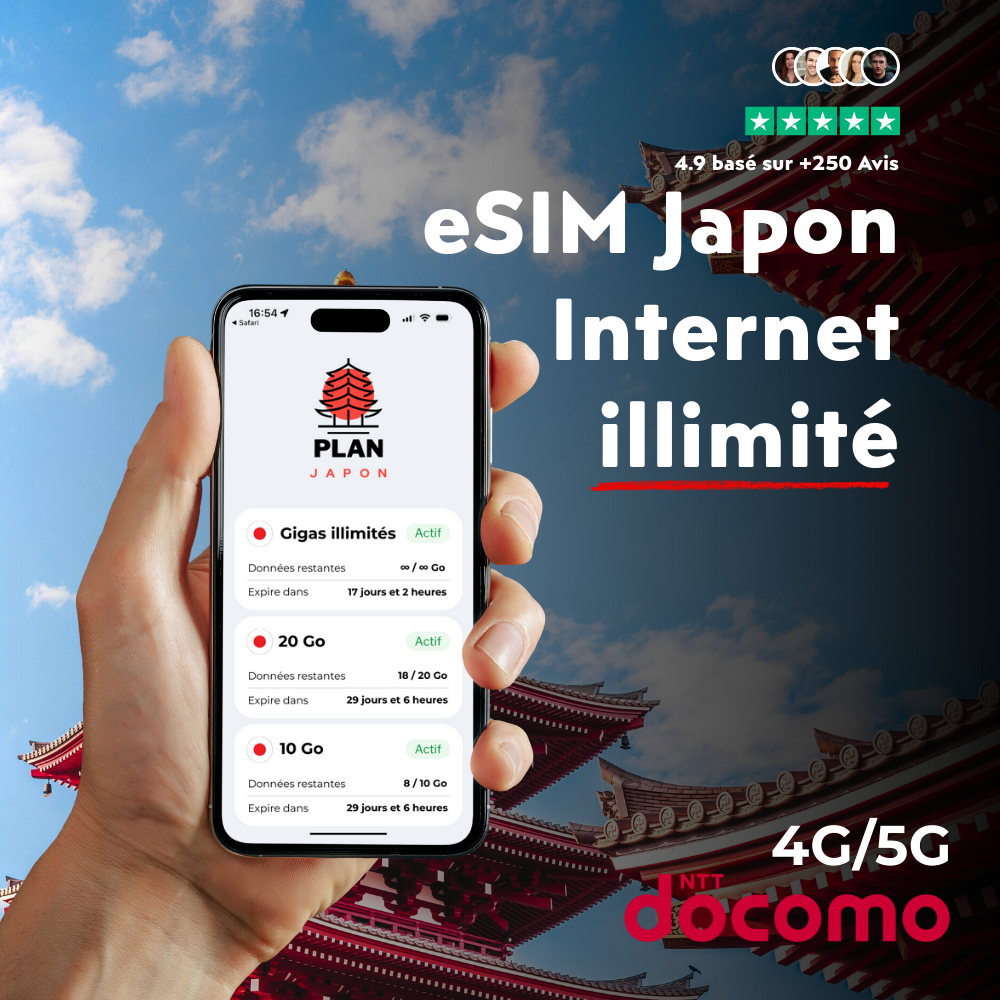
A data-only eSIM — like the one PlanJapan offers on the NTT Docomo network — gives you 4G/5G Internet access from the moment you land at Narita or Haneda, but does not assign you a Japanese phone number. For most travelers, that is exactly what you need. All your favorite apps (WhatsApp, Signal, Telegram, Maps, Instagram, TikTok) run on data. You do not need to receive standard voice calls or SMS for them to work.
WhatsApp is a textbook case for this kind of plan. The app uses your phone number only as an identifier when you first create the account. Once that account is created and the SMS verification code has been received, WhatsApp then routes everything through the Internet — messages, calls, statuses, voice notes. The home SIM you left in your drawer, the hotel Wi-Fi, the data-only eSIM connected to Docomo: it doesn't matter where the connection comes from, WhatsApp keeps working with the same account and the same displayed number.
Concretely, the moment your flight lands at Narita at 3 PM and your PlanJapan eSIM automatically switches over to NTT Docomo, WhatsApp reconnects within seconds. You see the messages received during the flight, you reply to your family back home, you coordinate the meet-up with your Airbnb host in Shinjuku. No setup needed, no reactivation. That seamless transition is exactly what makes the combo of a data-only eSIM plus WhatsApp so comfortable to use abroad.
Activate WhatsApp before you leave: the golden rule
This is the most common mistake travelers make — and the most painful one to fix on the ground: arriving in Japan with a brand-new phone, a data-only eSIM, but WhatsApp not yet activated on that device. In that case, you get stuck on the very first screen: WhatsApp asks for a phone number and sends a verification code by SMS… which a data-only eSIM cannot receive. You then end up trying the "Voice call verification" option, which also requires an active voice line.
The workaround is simple: activate WhatsApp with your regular home number before leaving, ideally 2 to 3 days ahead of departure. Once the account is set up on your phone, it stays linked to that number even after you swap SIMs. If you are switching to a new device just before the trip (an upgrade to iPhone 16, a gift, a Galaxy S24), do the WhatsApp migration at home, on your domestic Wi-Fi, with your current carrier SIM (AT&T, Verizon, T-Mobile, EE, O2, Telstra — whichever applies) still active. The SMS code arrives in 10 seconds, you restore the Google Drive or iCloud backup, and you can fly off knowing WhatsApp will work.
If you install your PlanJapan eSIM in advance — which we recommend to avoid airport drama — keep your home SIM as the primary line in your iPhone (or in SIM slot 2 on Android). Once you land in Japan, simply disable data roaming on the home line and use the Docomo eSIM for Internet. Your apps still see your home number: WhatsApp, your bank, your 2FA apps — everything keeps working. Our step-by-step iPhone activation guide and the equivalent Samsung Galaxy procedure cover the exact settings.

How much data does WhatsApp use during a trip to Japan?
The good news is that WhatsApp is one of the most data-efficient mainstream apps on the market. The protocol heavily compresses text and images, and voice calls use a deliberately low bitrate to stay usable on weak networks. Here are the orders of magnitude you should know before choosing your plan:
| WhatsApp usage | Data consumption | Over 14 days in Japan |
|---|---|---|
| 100 text messages / day | ≈ 1 MB / day | ≈ 15 MB |
| 10 photos shared / day | ≈ 8-12 MB / day | ≈ 150 MB |
| 1 voice call of 20 min / day | ≈ 6 MB / call | ≈ 85 MB |
| 1 video call of 20 min / day | ≈ 60 MB / call | ≈ 840 MB |
| 5 voice notes / day | ≈ 1-2 MB / day | ≈ 25 MB |
For a typical usage pattern — texts plus a few photos plus a single 15-minute voice call per day to check in with family — plan for roughly 400 to 600 MB over two weeks. That's negligible compared with the 5-8 GB that Google Maps and Instagram combined will eat through on the same trip. The only scenario that can blow up the counter is sustained video calling: 1 hour of daily video chat with a parent works out to about 2.5 GB over 14 days. If that's your case, switch to the free Wi-Fi at Starbucks, Family Mart, or your hotel for those video calls — the eSIM will save its data for mobile usage.
For most travelers, the 20 GB plan for 14 days easily covers WhatsApp plus Maps plus social media plus a bit of streaming. If you're traveling as a couple and sharing the connection via hotspot, or if you plan to use heavy video calling, step up to 50 GB or go directly with the unlimited plan. Our complete guide on how many GB to plan breaks down each traveler profile.
WhatsApp in Japan: real-world scenarios during your trip
Beyond the theory, here are the concrete WhatsApp use cases that PlanJapan customers report back to us week after week. Every time, the data-only eSIM handles the situation without a hitch — provided the account was activated before departure.
Group coordination at Shibuya Crossing. You land in Tokyo with three friends and plan to meet up at Shibuya Crossing at 7 PM. Crowded subways, unexpected separations, last-minute plan changes — the WhatsApp group buzzes nonstop. With your eSIM on the Docomo network (99.9% 4G/5G coverage in urban areas), messages arrive in under a second, GPS positions shared via WhatsApp update in real time, and nobody stays lost for more than 5 minutes.
Video call from the ryokan in Hakone. In the evening, after the onsen, you want to show your parents the traditional tatami room. The ryokan offers decent Wi-Fi, but it's often spotty. The Docomo 4G takes over: 25 minutes of smooth 720p video chat, around 75 MB consumed. The same scene with a Pocket WiFi rented at the airport would have required keeping the device charged, powered on, and within range — the eSIM, by contrast, lives directly inside your phone.
Sending photos from Kyoto. You visit Fushimi Inari at dawn and shoot 40 photos along the red torii path. You want to send a dozen shots to your best friend before noon. WhatsApp compresses them automatically (around 0.8 MB per photo once compressed), and the upload takes 15 seconds on Docomo's 5G network. No need to wait until the evening's café Wi-Fi.
Emergency calls from the Shinkansen. Your return flight is moved up, and you need to let your Airbnb host know you're checking out earlier. At 175 mph between Kyoto and Tokyo, the Tokaido Shinkansen benefits from continuous mobile coverage thanks to Docomo's trackside antennas. A WhatsApp call goes through without a drop — something the onboard Wi-Fi, far more unstable, often cannot guarantee.
If you switch numbers on arrival: the traps to avoid
Some travelers think about picking up a full Japanese SIM card (with a local number) so they can, for example, give a reachable phone number to a car rental agency or a Japanese Airbnb host. It's rarely necessary — most services in Japan accept international numbers or email addresses — but if you do, be careful with WhatsApp.
If you install WhatsApp using the new Japanese number, you create a brand new account. You lose all your contacts, your groups, your backups, and your contacts no longer recognize you. The rule is clear: keep WhatsApp linked to your home number for the entire trip, even if you pick up a Japanese SIM in addition for local calls. WhatsApp handles Internet, full stop.
For digital nomads who spend several months in Japan and eventually adopt a real local number, WhatsApp offers a "Change Number" feature (Settings > Account > Change Number). It migrates your account to the new number while keeping the history, contacts, and groups intact. Only run this migration when you're ready to fully retire the old home number for WhatsApp — the operation is irreversible without starting from scratch.
To share your eSIM connection with another device (for example, your child's phone left without data), simply turn on the hotspot. Tethering works on every PlanJapan plan with no speed throttling. Our hotspot tutorial walks through the setup on both iPhone and Android.
WhatsApp Web, multi-device, and WhatsApp Business in Japan
Since 2023, WhatsApp lets you link up to four secondary devices (laptop, tablet, second phone) to your main account. That's extremely practical when traveling: you can connect your MacBook or your iPad to WhatsApp without keeping your phone powered on. For the traveler in Japan, that means replying from a café in Daikanyama, or showing a conversation to your travel companion on a tablet while the phone charges at the hotel.
The linking takes 30 seconds via WhatsApp Web (web.whatsapp.com) or the desktop app: scan the QR code shown on the screen with your main phone, and you're done. Each device uses its own Internet connection — your laptop on the hotel Wi-Fi, your phone on the Docomo eSIM — which means consumption gets distributed. If you work a lot from your laptop, most of the WhatsApp traffic will travel over Tully's Coffee free Wi-Fi rather than over your data plan.
For professionals using WhatsApp Business — content creators, e-commerce operators, freelancers — the logic is the same. The Business account stays linked to your home number, your clients reach you at the same handle, your product catalogs remain accessible. The only precaution: if you manage multiple accounts (personal plus pro), use the "Multi-account" feature rolled out in 2024 on Android and iOS, which lets you run two WhatsApp instances on the same phone. No impact on the eSIM — it just provides Internet access.
One last practical tip: if you use WhatsApp for prolonged voice or video calls from Japan back home, check the recipient's local time before calling. Tokyo runs on UTC+9, New York on UTC-5, London on UTC+0 or UTC+1 depending on the season. A call at 9 PM Tokyo time wakes your family in London at noon — fine. A call at 8 AM Tokyo time wakes them at 11 PM the previous night — less welcome.
FAQ — WhatsApp and data-only eSIM in Japan
Does WhatsApp work on a PlanJapan eSIM without a Japanese phone number?
Yes, 100%. WhatsApp uses Internet only to transmit messages, calls, and files. As long as your PlanJapan eSIM connects you to the NTT Docomo network (which it does automatically the moment you land at Narita or Haneda), WhatsApp keeps working with your regular home number. No Japanese number is required.
Should I activate WhatsApp before or after leaving for Japan?
Always before. The initial WhatsApp account creation requires receiving a verification code by SMS on your home number. A data-only eSIM cannot receive standard SMS messages. Activate WhatsApp at home on your domestic Wi-Fi, 2 to 3 days before departure. Once the account exists, it then runs on any Internet connection, including a Japanese eSIM.
How many GB should I plan for WhatsApp over 2 weeks in Japan?
For normal usage (messages, photos, one daily voice call), plan for around 500 MB over 14 days. If you add 20-30 minutes of video calling per day, plan for 2 to 3 GB instead. That's very little compared with Google Maps (3-4 GB over 2 weeks) or Instagram (2-3 GB). A 20 GB plan is more than enough for a typical trip.
Will my contacts back home see that I'm in Japan?
No, your WhatsApp status doesn't change. Your contacts still see your usual number and profile picture. The only thing they might notice is an unusual last-seen timestamp (7 to 9 hours offset from your home time zone). To hide that information, go to Settings > Privacy > Last Seen.
Can I use WhatsApp on the Tokyo subway or the Shinkansen?
Yes. The Tokyo subway, the JR Yamanote Line, the Shinkansen, and almost every Japanese transport line enjoy continuous 4G/5G coverage thanks to Docomo's antennas. Messages send and arrive in real time. WhatsApp voice calls run smoothly even underground; video calls can occasionally drop in the longest tunnels (though it's rare).
What if I switch phones right before the trip?
Run the WhatsApp migration at home, on your Wi-Fi, before leaving. WhatsApp sends a new verification code by SMS to your home number — receive it on your still-active home SIM. Restore the iCloud (iPhone) or Google Drive (Android) backup, then insert your PlanJapan eSIM once you arrive in Japan. Everything works on the first try.
Does WhatsApp use data in the background, even when I'm not using it?
Very little — around 50 to 100 MB per month in the background (conversation refresh, status updates, profile pictures). Over 2 weeks in Japan, that's negligible. To reduce it further, disable automatic media download in Settings > Storage and Data > Media Auto-Download > Mobile data (uncheck photos / videos / audio).
 Airalo
 Holafly
 Saily
Saily Nomad
Nomad Ubigi
Ubigi