

TL;DR — With a data-only eSIM in Japan (PlanJapan on the NTT Docomo network), you don't receive traditional cellular calls or SMS, but you keep 100% of your communications via WhatsApp, Signal, iMessage, FaceTime and Google Meet: everything runs over 4G/5G. VoIP calls cost $0 (just data, around 6 MB for a 20-minute voice call). A Japanese voice plan (Mobal, Sakura Mobile, Rakuten Mobile) is only worth it for long stays, working in Japan, or phone-only reservations at traditional kaiseki restaurants. For 95% of travelers, a data eSIM combined with VoIP apps is more than enough.

Calls and SMS with a data eSIM in Japan: what works, what doesn't
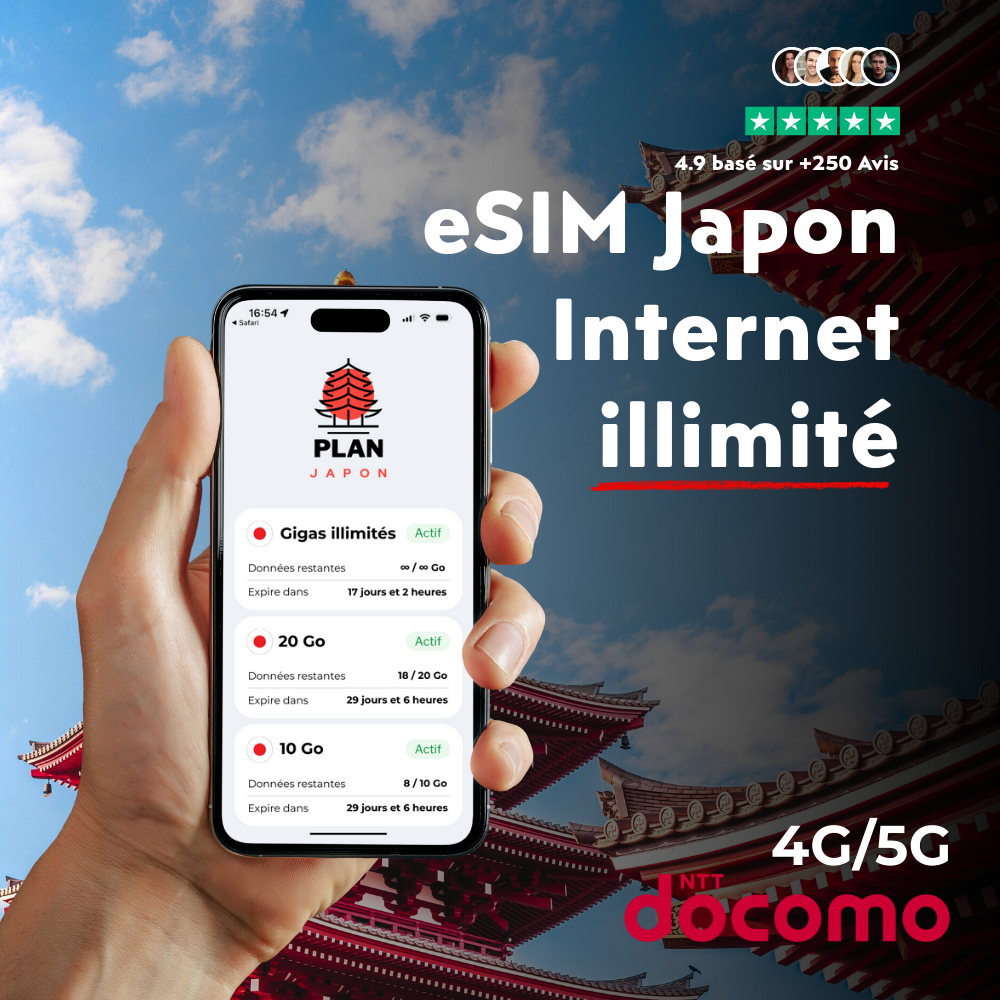
A data-only eSIM — like the one PlanJapan activates on the NTT Docomo network as soon as you land at Narita or Haneda — gives you 4G/5G internet access without assigning you a Japanese phone number. The direct consequence: you cannot place or receive traditional cellular calls (legacy voice network), and you don't receive SMS in the standard format (text messages on the GSM network). This limitation often worries travelers when booking, but in practice it changes nothing for 99% of their actual usage.
Why? Because every modern messaging and calling service — WhatsApp, Signal, iMessage, Telegram, Messenger, FaceTime, Google Meet, Zoom — runs entirely over the internet (VoIP, Voice over IP). As long as your PlanJapan eSIM gives you a stable connection to the Docomo network, these apps route your calls and messages using your usual home phone number as the identifier. Your contacts see no difference whatsoever. Docomo's 4G/5G coverage, which reaches 99.9% of populated Japanese territory and remains continuous on the Tokaido Shinkansen between Tokyo and Osaka, guarantees call quality equivalent to a landline.
The only scenario where the lack of a voice line becomes an issue: rare services that require a real reachable phone number, such as some bookings at traditional kaiseki restaurants in Kyoto, emergency calls to 110 (police) or 119 (fire/ambulance), or 2FA banking codes that only arrive via traditional SMS. For each of those cases, simple workarounds exist and we cover them below. Our eSIM vs roaming comparison also breaks down the economic logic of these choices.
Making calls from Japan: the recommended VoIP apps
WhatsApp remains the de facto standard for most international travelers. The app encrypts calls end-to-end, works on iPhone and Android, and consumes very little data: about 6 MB for a 20-minute voice call and 60 MB for a 20-minute 720p video call. On the Docomo 4G/5G network, latency stays under 80 ms, which means smooth uninterrupted conversations. Activate your account with your usual home number before you leave — a data-only eSIM cannot receive the initial verification SMS. Our WhatsApp + eSIM guide covers the full procedure.
Signal offers the same quality with even stricter encryption — ideal if you travel for sensitive business reasons. Messenger (Meta) remains practical if your whole family is on Facebook, but consumes slightly more (8 MB for a 20-minute voice call). For iPhone users, FaceTime audio and FaceTime video are built-in, require no installation, and switch to HD via Wi-Fi Calling on the free Wi-Fi at Japanese hotels or Family Mart konbini. Plan for 8 MB for 20 min voice and 100 MB for 20 min video.
For professional calls, Google Meet and Zoom deliver higher quality than consumer apps (opus codec at 64 kbps minimum, vs 16 kbps for WhatsApp). A 30-minute Zoom meeting consumes around 200 to 300 MB in audio-only mode, 600 MB in HD video. If you work remotely from Tokyo or Kyoto, plan for the 50 GB PlanJapan package or directly the unlimited tier — that saves you from chasing café Wi-Fi networks. A concrete scenario to anchor the numbers: a 25-minute WhatsApp call from the Shinkansen between Kyoto and Tokyo runs flawlessly thanks to Docomo antennas along the track, unlike the onboard Wi-Fi that drops in tunnels.

Sending SMS from Japan: iMessage, RCS and messaging apps
The logic mirrors calls: traditional GSM SMS don't work with a data-only eSIM, but every modern protocol replaces them with no service loss. On iPhone, the Messages app automatically switches to iMessage (blue bubbles) as soon as it detects that your contacts are also on iPhone. iMessage runs over the internet, keeps your home phone number as identifier, and consumes about 0.1 MB per text message, 1 to 2 MB per HD photo. It's completely transparent to you and your recipients — the only visible change is the bubble color.
On Android, the Google Messages app uses the RCS (Rich Communication Services) protocol, which plays exactly the same role as iMessage. Launched by carriers in 2019 and finally adopted by Apple in 2024, RCS handles rich media, read receipts, typing indicators and runs entirely over data. If your contact has RCS enabled too, messages flow seamlessly via Docomo 4G/5G at no extra cost. Otherwise Google Messages will silently try to fall back to traditional SMS — which fails quietly on a data-only eSIM. The workaround: agree with your family before leaving that you'll communicate via WhatsApp or Signal to avoid the trap.
For critical incoming SMS — bank verification codes, Google 2FA, Vinted or eBay confirmations — best practice is to keep your home SIM active in dual-SIM mode alongside the PlanJapan eSIM. You disable data roaming on the home line (so your domestic plan doesn't get drained), you let SMS arrive for free (incoming SMS while roaming in Japan are free on Verizon, T-Mobile, AT&T, EE, Vodafone, O2, Free, Orange, SFR and Bouygues since 2024), and you keep the Docomo eSIM for all data. Our dual-SIM guide and the procedure to keep your home phone number cover the right settings on iPhone 15, iPhone 16, Galaxy S24 and Pixel 9.
Japanese voice plan: who really needs one (and who doesn't)
A Japanese voice plan — meaning a local plan with a real +81 phone number — costs between 2,800 and 4,500 yen per month (around $19 to $30), plus 3,000 yen activation fees and sometimes a deposit. Specialized travel-focused operators (Mobal, Sakura Mobile, OCN Mobile ONE) offer commitment-free packages with an eSIM or physical SIM delivered to your hotel. Rakuten Mobile is the cheapest (3,278 yen for unlimited voice + 30 GB data) but requires a Japanese residential address — so it's off-limits to tourists.
The voice plan only makes sense for four specific profiles: (1) expats and digital nomads staying more than three months who need to open a Japanese bank account, sign a lease, take calls from immigration or employers; (2) road-trippers in rural areas in Tohoku, Hokkaido or the Japanese Alps (Takayama, Kamikochi) who want to be able to call a ryokan or taxi without relying on Wi-Fi; (3) high-end gastronomy enthusiasts booking kaiseki restaurants in Kyoto, omakase sushiyas in Ginza, or traditional ryokans that don't accept online reservations; (4) motorcyclists and cyclists doing long trips in Tohoku or Hokkaido where 4G exists but WhatsApp/Skype calls at 50 mph in a helmet can drop.
For the remaining 95% — tourist trips of 7 to 21 days in Tokyo, Kyoto, Osaka, Hokkaido in winter for skiing at Niseko, Okinawa in summer — the PlanJapan data-only eSIM covers everything. You save $35 to $90 vs a voice plan, you keep your home number visible to contacts via VoIP apps, and you skip the Japanese paperwork (scanned passport, hotel address proof, electronic signature). Our long-stay comparison details the PlanJapan data plans built for expats and interns.
How much do calls and SMS from Japan really cost: side-by-side comparison
Putting the options next to each other makes the verdict instant. Here are the real costs for a typical 14-day Japan trip, with 30 voice calls totaling 5 hours and 200 text messages.
| Solution | 14-day cost | JP number? | Receives home SMS? |
|---|---|---|---|
| PlanJapan 20 GB eSIM + VoIP apps | ≈ $25 | No | No (unless dual-SIM) |
| PlanJapan eSIM + home SIM in dual-SIM | ≈ $25 + home plan | No | Yes (free incoming) |
| T-Mobile Magenta roaming (free data) | Included but throttled to 256 kbps | No | Yes |
| Verizon TravelPass (14 days) | ≈ $140 ($10/day) | No | Yes |
| Mobal Japan SIM voice plan | ≈ $60 (14-day unlimited voice + 7 GB) | Yes | No |
| Sakura Mobile voice plan (30-day min.) | ≈ $85 (30-day voice + 25 GB) | Yes | No |
The price-to-usage ratio speaks for itself: for $25 you get 20 GB of Docomo data + unlimited VoIP calls via WhatsApp/Signal/FaceTime. The Mobal voice plan costs 2.4 times more for a benefit you'll likely never use — except in very specific edge cases. The eSIM + home SIM in dual-SIM combo remains optimal: you keep your entire home ecosystem (banking, 2FA, contacts) while paying only your regular home plan, no Japan surcharge. Our home-plan roaming guide covers what each major carrier includes operator by operator.
Receiving home calls and SMS during your Japan trip
The killer setup, validated by thousands of PlanJapan customers, is dual-SIM: a PlanJapan eSIM as the main data line (Docomo), your original home SIM (Verizon, T-Mobile, AT&T, Vodafone, Orange) kept active in the phone solely to receive SMS and calls. Every iPhone since the XS, Galaxy S20 and later, Pixel 6 and later supports this configuration. On the iPhone 16 sold in the United States, the physical SIM tray is gone — you'll need to use two eSIMs (your home carrier converts the physical SIM to eSIM for free on request).
Essential settings before leaving: (1) in Settings > Cellular, disable data roaming on the home line (otherwise your home plan racks up charges); (2) set the PlanJapan eSIM as "default data line"; (3) keep the home line active for incoming calls and SMS. Concrete outcome: when you land at Narita, your family can keep calling or texting your usual home number. You get the notification, you answer via the home line (incoming roaming calls from Japan are free with most major US and European carriers since 2024), and you keep your data on the Docomo line.
For banking 2FA (Chase, Bank of America, Wells Fargo, Revolut, N26, BNP, Boursorama), this is by far the most reliable approach. SMS codes arrive in 5 to 10 seconds on your home number, you confirm payments or transfers without any blocking. An alternative for travelers without dual-SIM support: activate SMS forwarding via your carrier's voicemail, or use an app like SMS Forwarder that relays your home SMS to WhatsApp or Telegram — handy but less secure for banking codes. Our iPhone eSIM activation tutorial walks through the dual-SIM setup step by step.
Real-world cases: restaurant, taxi, emergency — handling Japan without a local number
Booking a restaurant in Tokyo or Kyoto. Chain restaurants and most izakayas accept online bookings via TableCheck, OMAKASE.in or Pocket Concierge — an email is enough, no Japanese number required. For high-end omakase sushiyas in Ginza (Sukiyabashi Jiro, Sushi Saito) or traditional kaiseki in Kyoto (Hyotei, Kitcho), go through your hotel concierge: every 4 and 5-star Japanese hotel books for free for their guests using their own number. Otherwise, ask a Japanese friend or use an intermediary service like Voyagin (Rakuten Travel) which handles the booking for 1,000 to 3,000 yen per reservation.
Hailing a taxi. The GO Japan Taxi app (available on the App Store and Google Play) is the local equivalent of Uber, working in Tokyo, Osaka, Kyoto, Nagoya, Sapporo, Fukuoka. No Japanese number needed: email and credit card are enough. DiDi Mobility covers Osaka, Kyoto and Tokyo. Uber exists in Tokyo and Osaka but stays expensive. To flag a taxi on the street, simply raise your hand — drivers speak little English but Google Translate's conversation mode handles it. A 15-minute Tokyo ride costs 1,500 to 2,500 yen ($10 to $16), payable by card or Suica/Pasmo.
Emergencies: 110 (police), 119 (fire/ambulance). These emergency numbers only work via an active voice line — so not from a data-only eSIM. But they remain reachable from any Japanese phone (NTT green public phones still present in stations, hotel phones, public phones in Seven-Eleven, Lawson, Family Mart konbini). For travelers needing English support, the Japan Visitor Hotline (050-3816-2787, operated by JNTO 24/7) offers assistance in English — accessible via WhatsApp Call or a public phone. Keep this number favorited in your phone before you leave. Our complete Japan eSIM guide reminds you of these safety reflexes.
FAQ — Calls and SMS in Japan with an eSIM
Can I receive a call on my home number with a PlanJapan eSIM?
Not directly on the PlanJapan line. The data-only eSIM only handles internet and has no voice number. The solution is dual-SIM: keep your home SIM active in the phone to receive calls and SMS, and let the PlanJapan eSIM handle internet. Incoming roaming calls from Japan are free on most major US and European carriers since 2024.
How do I make a phone call in Japan without a Japanese number?
Use WhatsApp, Signal, Messenger, FaceTime, Google Meet or Zoom. All of them run over the internet (VoIP), so they work with any data eSIM. Call quality on the Docomo 4G/5G network matches a landline. Expect about 6 MB of data for 20 minutes of voice calling — negligible compared to your overall data plan.
How much does a WhatsApp or FaceTime call from Japan cost?
$0 on top of your data plan. A 1-hour WhatsApp voice call consumes around 18 MB, a 1-hour 720p video call consumes 180 MB. On a 20 GB PlanJapan plan, you can place over 100 hours of voice calls per month without coming close to your quota. The footprint is tiny compared to Google Maps or Instagram.
Do banking SMS (2FA) reach a data-only eSIM?
No. Traditional SMS need an active voice line. The fix: keep your home SIM in the phone in dual-SIM mode, disable its data roaming, let SMS arrive on it for free. Your Chase, Bank of America, Revolut or N26 codes keep arriving without any issue. If your phone doesn't support dual-SIM, contact your bank before leaving to enable app-based authentication (in-app push, Authy, Google Authenticator).
Do I need a Japanese voice plan for a 2-week trip?
No, except in edge cases. 95% of travelers don't need it: restaurants book online, taxis come via GO Japan Taxi, emergencies go through public phones or the 050-3816-2787 hotline. A Mobal or Sakura Mobile voice plan costs $60 to $85 for 14 days, vs $25 for a PlanJapan data eSIM. Reserve the voice plan for long stays (>1 month), business trips, or fine dining requiring phone-only bookings.
Does emergency number 110 (police) work from a data-only eSIM?
No, emergency calls to 110 (police) and 119 (fire/ambulance) require a voice line. From a data-only eSIM, you cannot dial them directly. Use a public phone (available in every JR station and konbini), a hotel phone, or ask a passerby. For English-language assistance, the Japan Visitor Hotline (050-3816-2787) is reachable via WhatsApp Call and runs 24/7.
Can I share my Japan eSIM data connection with another phone?
Yes, hotspot/tethering is included on every PlanJapan plan with no speed cap. Turn on Wi-Fi hotspot in your phone settings, and a second device (phone, tablet, laptop) can connect through your eSIM. Useful for a couples trip where only one person buys an eSIM, or to connect a MacBook in a café with no Wi-Fi.